DHL Watch / Clock Worksheet
Materials and unit values of movement, case, strap and battery for each watch type.
For anyone asked by a carrier to complete a customs form
Pick the form your carrier requested, answer guided questions with your source documents at hand, and review the result on the official form as a PDF.
Free during form validation. Submission service: JPY 1,000 per shipment (planned)
The form workspace is not open yet. Try the workflow with fictional data. Current PDFs are previews and cannot be submitted.
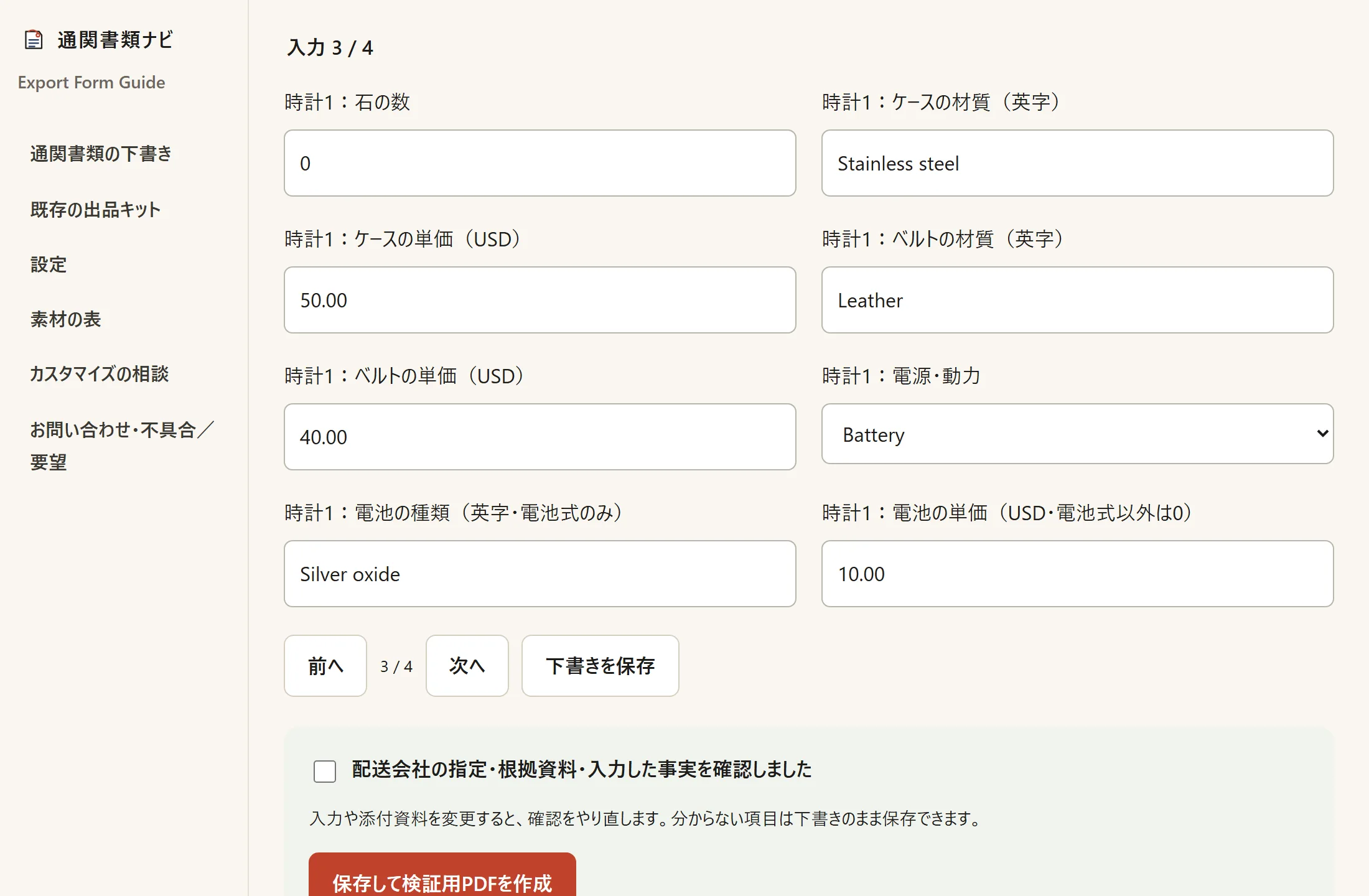
HOW IT IS USED
Check the form name in their message and choose the same form in the workspace.
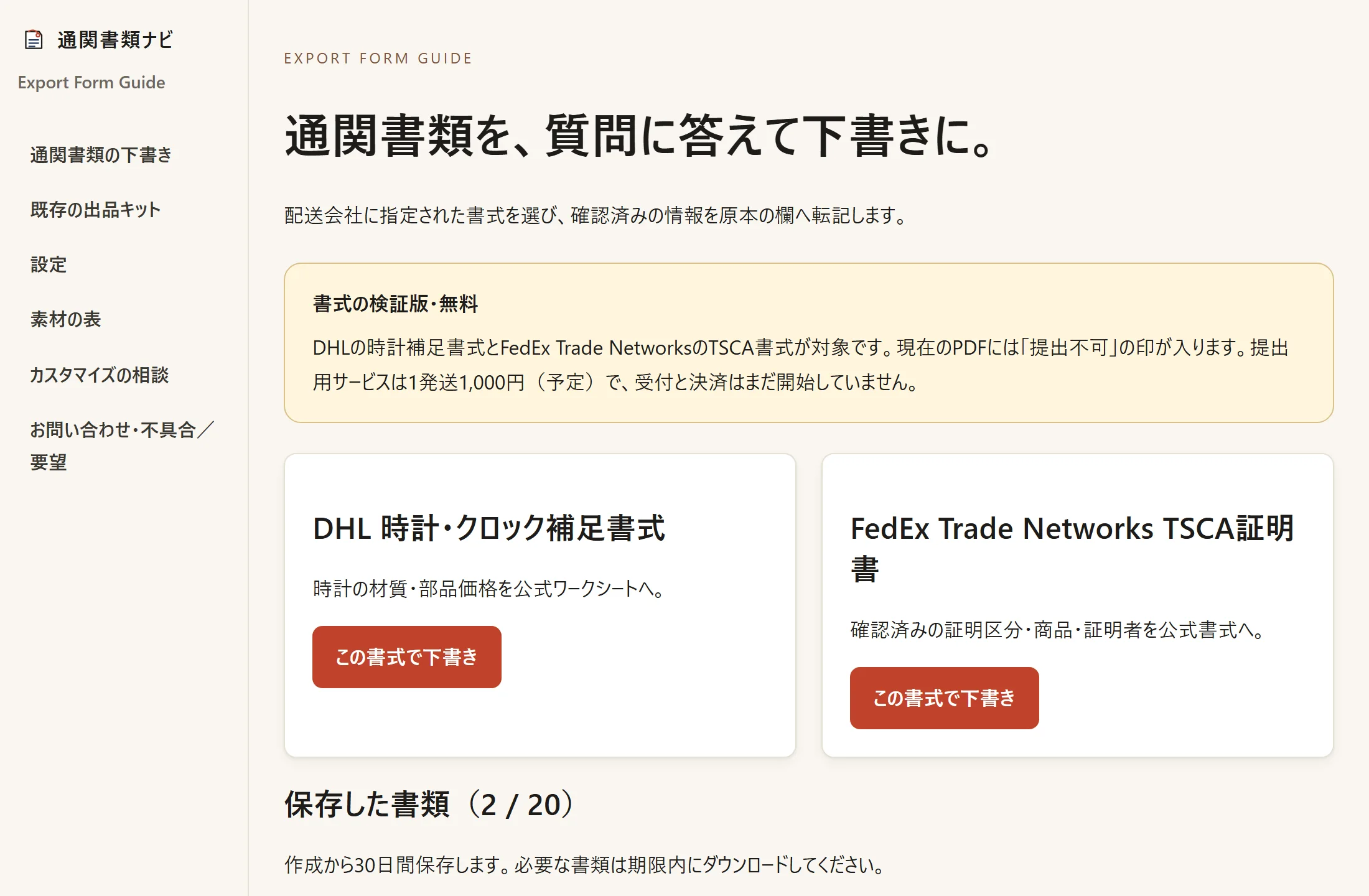
Attach PDFs or images, and note which page of which document you relied on.
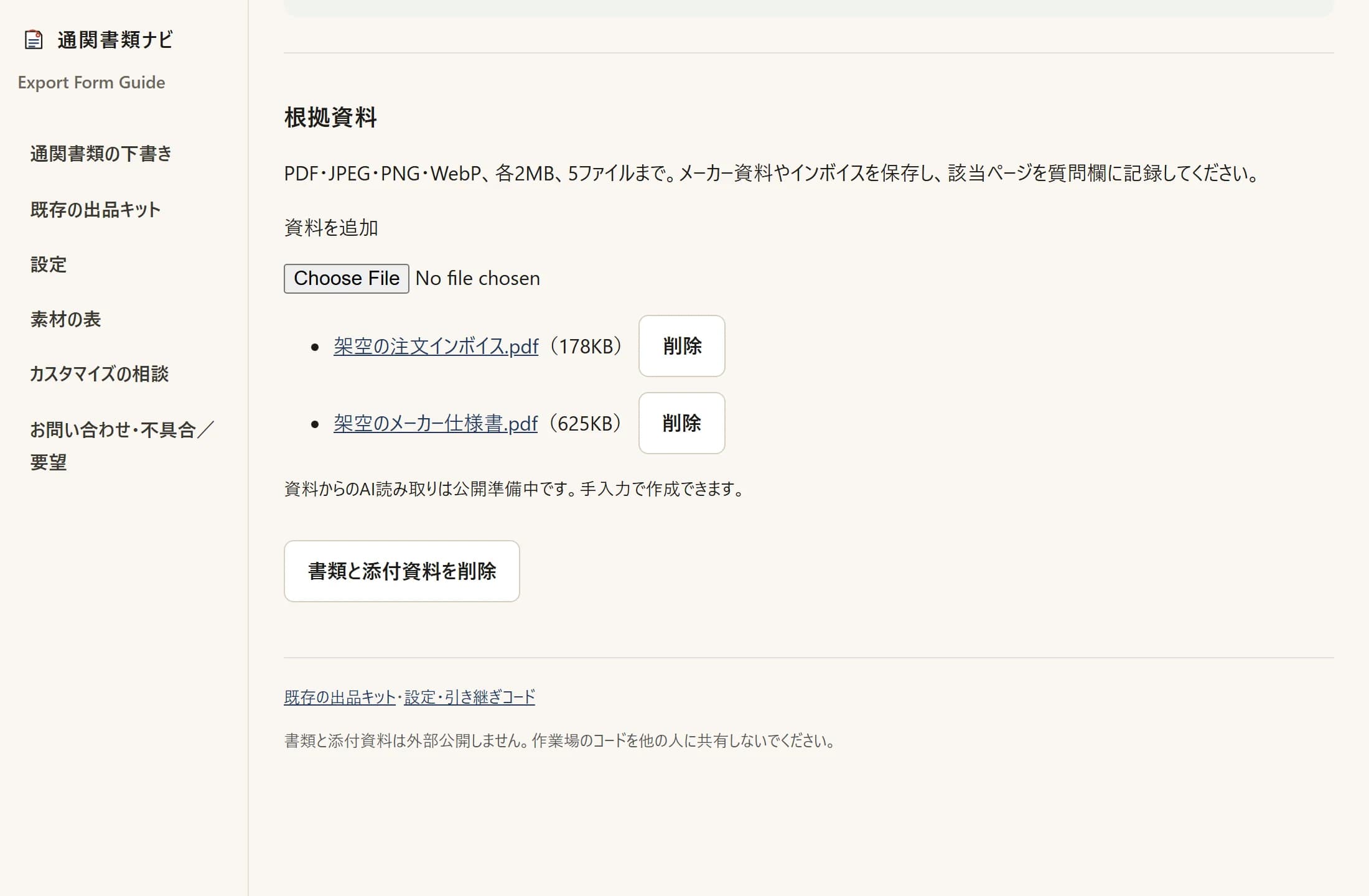
Enter component values and materials step by step. Unknown items stay in the draft.
Your answers land in the original form’s fields. Signatures stay blank for an authorized person.
WHAT YOU GET
Preview PDFs are stamped “DRAFT - NOT FOR SUBMISSION”.
Materials and unit values of movement, case, strap and battery for each watch type.
Confirmed certification type, products and certifier. For importers or their authorized agents.
For commercial shipments from Japan to the United States. Confirm your carrier specified the form.
Each draft links to the provider’s original and shows when it was acquired. Originals are checked daily, and output stops if they change.
Guided questions, with the supporting document and page kept alongside the draft.
Shared details such as sender and date are entered once and carried to every worksheet.
COMING NEXT
Compare each candidate with the source text and adopt only the right ones. Live reading is not open yet; the sample uses fictional data.
Try the sample (Japanese)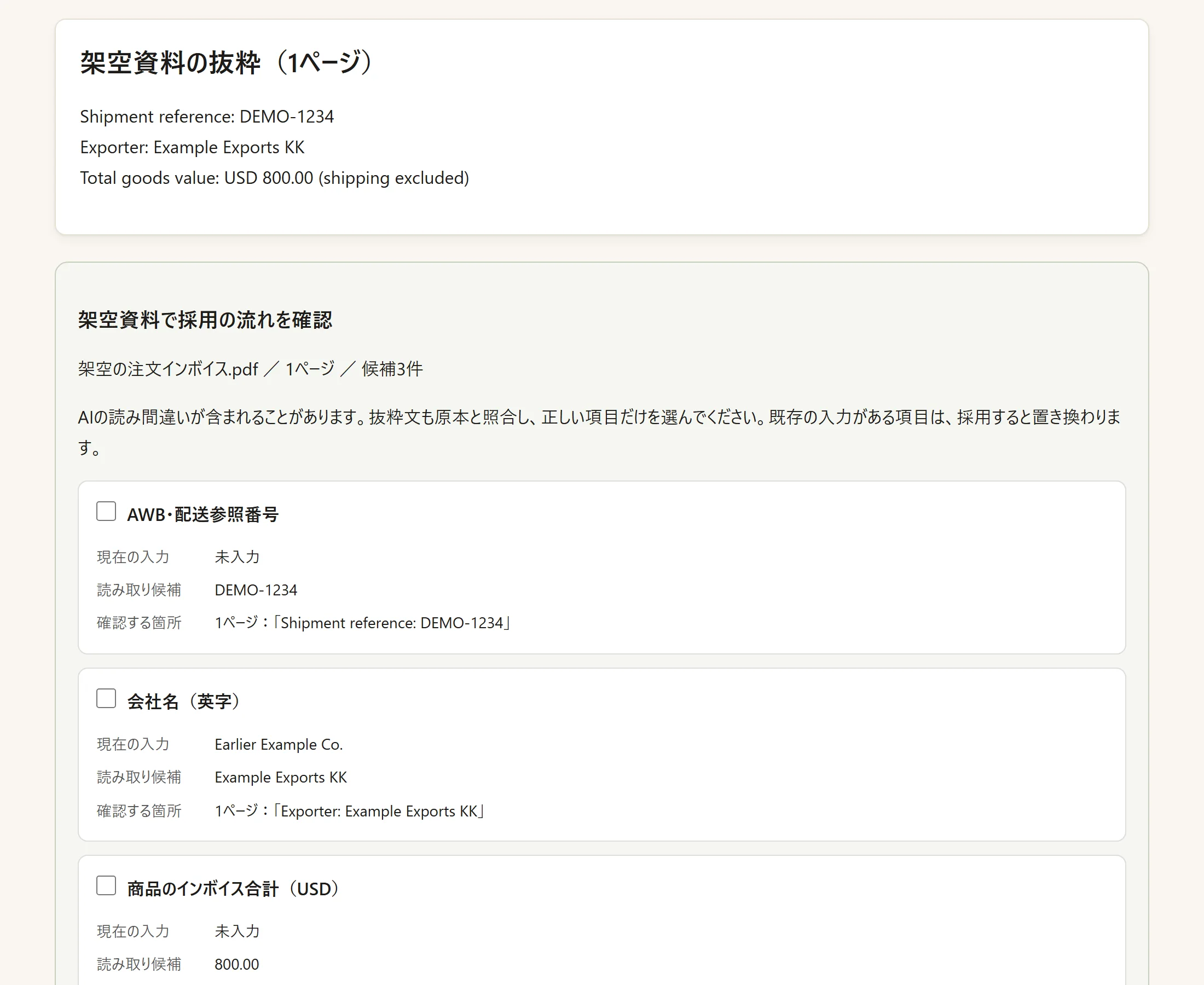
PRICING
Free
JPY 1,000 per shipment (planned)
The form workspace is not open yet. Try the workflow with fictional data.
No. We do not guarantee carrier acceptance, customs clearance or acceptance, or any duty or classification outcome. We do not sign or file on your behalf.
No. Current PDFs are validation previews stamped as not for submission. The submission service is not open yet.
Free during form validation. The submission service is planned at JPY 1,000 per shipment (planned); paid checkout is not open.
The DHL Watch / Clock Worksheet and the FedEx Trade Networks TSCA Certification, validated for commercial shipments from Japan to the United States.
No. Unknown values can stay in a draft, and no PDF is produced until they are confirmed. Signatures, duties, HTS codes and certification types are never decided automatically.
Answers and attachments are stored encrypted and are not public. They become inaccessible 30 days after creation and are removed by a daily job.
The form workspace is not open yet. Try the workflow with fictional data. No sign-up or payment needed.
Try the sample (Japanese)Your saved kits and existing subscriptions remain available. New Pro subscriptions are closed. Existing listing workspace / Manage existing subscription